Missing photos found that evening
Blank items and unclear photos turned into a question for the crew lead, for you to approve before they leave town.
Barry reads your Scoop Solar visits to catch missing photos, draft closeouts and group service trips. It can read and take action in your connected software.

 SCOOPResi Solar Install

 Retake
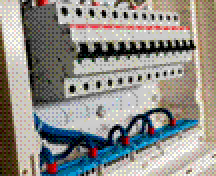
String 2 read 38 volts lower than string 1 on the same plane. I put it in the open items.
Barry checks the day’s visits for skipped items and unclear photos, drafts the closeout report, and groups open service jobs by area and fault.
Blank items and unclear photos turned into a question for the crew lead, for you to approve before they leave town.
Photos in order, string and meter readings, open items last, ready for your review so you can ask for final payment.
Barry sorts open jobs by area and fault with the parts noted on each, so one truck roll can cover several sites.
Send Barry a message like one of these and it sets up the work across Scoop Solar and your other connected tools.
“Every evening, check that day’s Scoop visits for skipped items and missing photos and draft a note to each crew lead.”
“When the last visit is done, draft the closeout report from Scoop, photos in order and open items last, for my review.”
“Every Thursday, group open Scoop service jobs by area and fault for next week, and list the parts noted on each job.”
“Every Monday, list last week’s Scoop visits that failed a check, the reason, and whether a return is on our Outlook calendar.”
Connect once, say what you need, and stay in control of anything that leaves your business.
Add your Scoop Solar login on Barry’s Integrations page. Barry signs in, and can read and take action within what that login allows.
Describe the work the way you’d brief a new hire. Barry sets it up and tells you when it will run.
Drafts for customers, GCs and subs wait for your OK. The routine work gets done, and Barry tells you what it did.
Barry works across all your connected tools at once. See every integration


